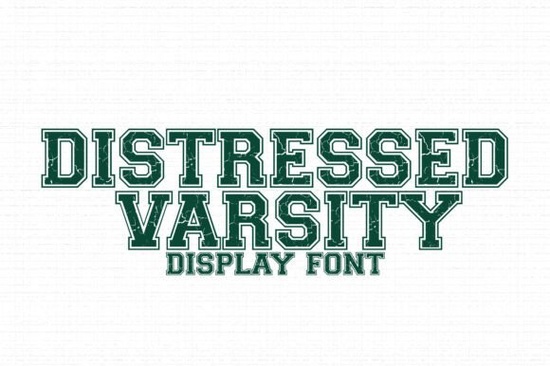
If you're looking for a bold, authentic sports font that works well for physical and digital projects especially with cutting machines like Cricut or Silhouette the Distressed Varsity Font is a straightforward choice. It’s not overly polished or sleek; instead, it leans into intentional wear and texture, mimicking the look of vintage lettering on old football jerseys, gym bags, or school banners. That grunge distress isn’t just visual flair it adds character and readability at larger sizes, which matters when you’re layering vinyl or printing on fabric.
When does this font actually work best?
It shines where authenticity and attitude matter more than precision. Think team shirts printed for local youth leagues, DIY graduation yard signs, or printable party banners for a high school senior’s celebration. Because each letter and number includes built-in texture not added later as a layer or effect it cuts cleanly on machines without extra prep. You won’t need to outline, simplify, or manually remove noise before sending to your cutter. That saves time, especially if you’re juggling multiple client orders or prepping for a craft fair.
It’s also practical for small businesses selling digital downloads. Since the font includes uppercase letters, numerals, and basic punctuation, you can use it across product mockups like t-shirt previews, sticker sheets, or editable Canva templates without switching fonts mid-design. And unlike some “sports” fonts that rely heavily on ligatures or decorative alternates, Distressed Varsity Font keeps things simple and usable right out of the box.
How does it compare to other popular varsity-style fonts?
Not all athletic fonts deliver the same vibe or the same technical reliability. For example, Brooklin Varsity offers a cleaner, more structured take, great for modern school branding where consistency matters across web and print. If you prefer something even rougher and more raw, Grunge Jersey pushes further into weathered, ink-splattered territory ideal for band merch or punk-inspired designs. College Style leans classic and collegiate, with subtle serifs and balanced spacing, while Bold Block gives strong geometric impact, better suited for posters or signage than garment lettering. And if you ever want contrast say, pairing a rugged varsity headline with a playful subheading Smart Candy offers friendly, rounded energy without clashing.
You’ll notice most of these alternatives are designed for specific moods or production needs. Distressed Varsity Font sits in the middle: distressed enough to feel lived-in, but legible and scalable enough to use across real-world applications from iron-on transfers to large-format prints.
What kinds of files do you get and what can you do with them?
The download includes standard OTF and TTF formats, so it installs easily on Windows, macOS, and works inside design tools like Adobe Illustrator, Cricut Design Space, Silhouette Studio, and even free options like Inkscape or Canva (via upload). There are no hidden layers or locked elements just clean vector outlines with embedded texture baked directly into the glyph shapes.
That means:
- You can resize without pixelation even up to banner size.
- No need to add separate texture overlays or clipping masks.
- Cutting machines recognize the shapes reliably, with minimal node cleanup.
- Works well for both single-color vinyl and multi-layered layered designs.
It’s also compatible with common color modes (RGB and CMYK), so whether you’re prepping for screen printing, DTG, or home inkjet printing, the font holds up visually and technically.
Where to find it and what to keep in mind
You can get the Distressed Varsity Font directly from Creative Fabrica. Like most fonts there, it comes with a commercial license so you can use it for client work, POD products, or physical goods you sell yourself. Just double-check the license details before using it in apps or websites where font embedding might be restricted.
One practical tip: test cut a single letter first especially if you’re using older vinyl or a machine with lower blade sensitivity. The texture adds subtle complexity, and while it’s optimized for cutting, very fine distress details may need slight simplification depending on your material thickness and blade type.
Before you download or use Distressed Varsity Font:
- Confirm your design software supports custom fonts (most do but some web-based editors require upload).
- Check if your cutting machine firmware is up to date older versions sometimes struggle with complex outlines.
- Preview how it looks at your intended final size not just on screen, but printed or cut at 1:1 scale.
- Pair it intentionally: try neutral sans-serifs or clean script fonts for contrast, rather than stacking distressed styles.
- Save a simplified version (outline + flatten) if sharing files with clients or printers who don’t have the font installed.
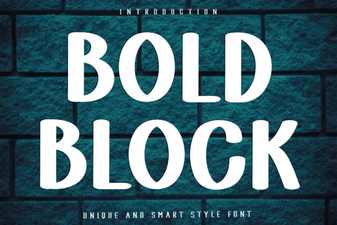 Bold Block Font: Creative Design Ideas & Uses
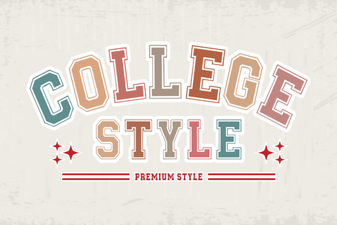 Collegestyle Regular: Bold, Versatile Font for Creative Projects
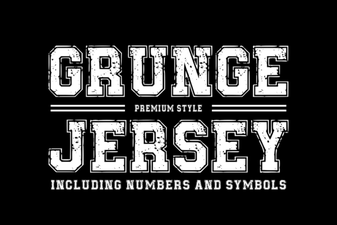 Grunge Jersey Font for Bold, Creative Designs
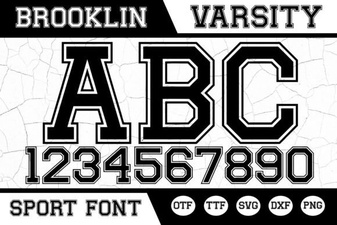 Brooklin Varsity Font: Bold Design & Creative Uses
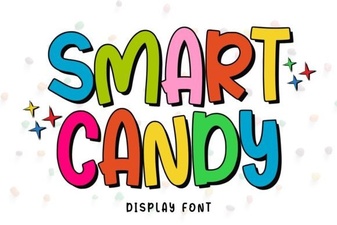 Smart Candy Font: Playful & Versatile Design Tool
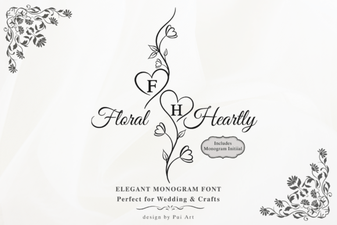 Floral Heartly Monogram Font: Elegant Design Ideas