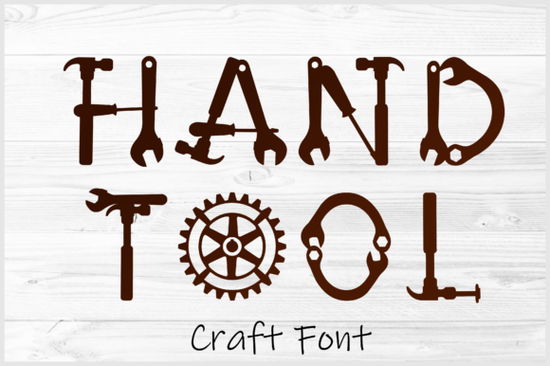
If you're looking for a decorative typeface that feels genuinely handmade not just "hand-drawn" but built from real tools then the Hand Tool Font is worth your attention. It’s not a script or a brush font pretending to be rustic. Each letter is constructed from silhouettes of hammers, wrenches, gears, saw blades, and other workshop staples. That means the “A” might include a crescent wrench as its crossbar, or the “O” could double as a gear ring. It’s clever, cohesive, and full of tactile personality ideal if you design for makers, woodworkers, hardware shops, or craft-focused small businesses.
Who actually uses this kind of font?
This isn’t a font for corporate reports or minimalist branding it shines where authenticity and craft matter most. Think: personalized toolboxes stamped with a customer’s name, custom workshop signs, DIY project labels, or gift tags for hand-forged knives or leather goods. Print-on-demand sellers use it for t-shirts like “Built Not Bought” or mugs that say “Wrench Therapy.” Small hardware stores add it to social posts or window decals to reinforce their hands-on identity. Even hobbyists making laser-cut coasters or vinyl-decorated aprons find it easy to layer and cut thanks to the included DXF and SVG files.
What formats are included and why does it matter?
The Hand Tool Font comes in OTF (for standard text use in Canva, Adobe apps, or Cricut Design Space), plus SVG, PNG, DXF, and EPS. That mix covers nearly every creative workflow:
- OTF: Type live text, adjust spacing, scale without pixelation.
- SVG: Perfect for Cricut and Silhouette users who want color layers or multi-step cuts.
- DXF: Essential for laser cutters and CNC machines clean vector paths, no raster elements.
- PNG: High-res transparent images for quick mockups or digital overlays.
- EPS: Widely compatible with older vector software and print shops.
No need to convert or trace you get production-ready files straight out of the download.
How does it compare to other decorative fonts on Creative Fabrica?
It stands apart because of its consistent theme and structural logic. Unlike many “crafty” fonts that rely on texture or uneven baselines, Hand Tool builds meaning into the shape itself. Compare it to the playful bounce of Sugar Pop Font, the delicate dot-and-line rhythm of Polka Dot Duo, or the romantic swirls of Floral Heartly Monogram. Each has its place but if your project needs grit, function, and visual storytelling, Hand Tool delivers in a way few others do. Even the Dog Love Font leans into warmth and whimsy; this one leans into torque and tension.
Is it beginner-friendly?
Yes if you’ve used fonts before, you’ll recognize how to install and type with the OTF. For cutting machines, the SVG and DXF files open cleanly in Cricut Design Space, Silhouette Studio, or LightBurn. Just remember: since each character is made of tool parts, very tight kerning or extreme scaling may require minor manual adjustment (e.g., separating overlapping wrench handles in a large “TH” pair). Most users don’t need to tweak anything for standard sizes, though. And if you’re new to working with layered SVGs, Creative Fabrica includes a short PDF guide with tips for aligning and recoloring elements.
Where else can you see it in action?
You’ll spot similar tool-inspired design language in maker magazines, Etsy shop banners for blacksmiths or bicycle mechanics, and even local hardware store flyers. For reference, you can also explore how other designers interpret craft themes like the bold geometry of Hand Tool Font, or the softer, rounded charm of Dog Love Font.
Before you download:
- Check your software supports OTF or SVG imports (most do).
- Confirm your cutting machine accepts DXF if you plan to laser-cut metal or wood.
- Preview the full character set some letters include alternate versions (e.g., a gear-based “G” vs. a bolt-based one).
- Try typing a short phrase first “FIX IT”, “MADE HERE”, or your shop name to see how spacing and weight feel at your intended size.
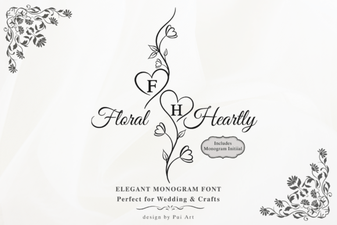 Floral Heartly Monogram Font: Elegant Design Ideas
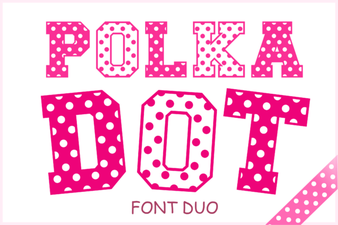 Polka Dot Duo Font: Playful & Versatile Design Tool
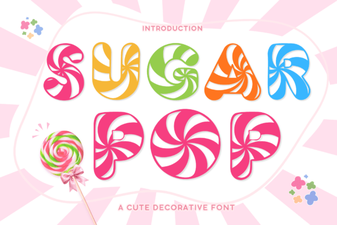 Sugar Pop Font: Playful & Versatile Design Tool
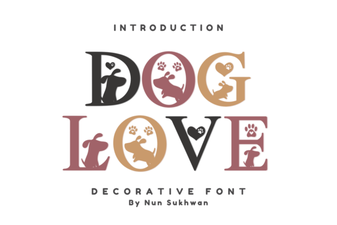 Dog Love Font: Playful & Heartfelt Design Ideas
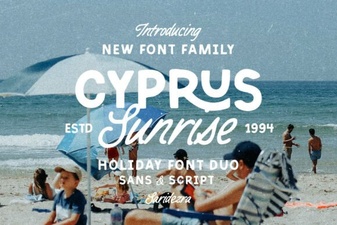 Cyprus Sunrise Duo Font: Elegant Dual-Style Typography
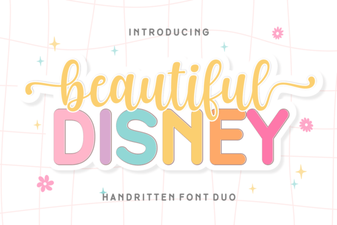 Beautiful Disney Duo Font for Creative Projects