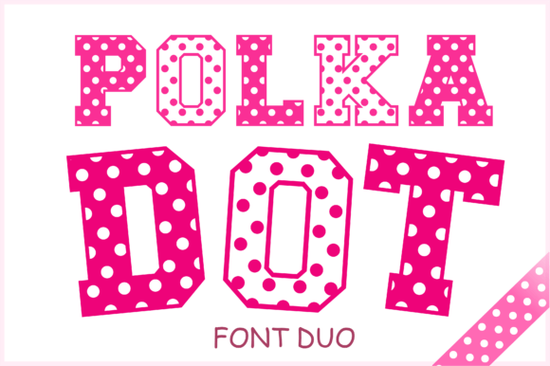
If you're looking for a cheerful, easy-to-use font that adds instant personality to kids’ projects, party printables, or small business packaging, the Polka Dot Duo Font is a smart, practical choice. It’s not just decorative it’s designed to be legible at small sizes, friendly at large ones, and flexible across both digital and physical formats. Whether you’re making birthday banners, baby shower invites, or custom onesies for your Etsy shop, this duo delivers consistent charm without sacrificing clarity.
What makes the Polka Dot Duo Font actually useful?
Unlike many playful fonts that sacrifice readability for whimsy, this set balances both. It includes two complementary styles: one with bold, solid letterforms dotted with cheerful polka dots, and another with outlined letters also dotted that work beautifully as a pair. You can layer them, use them side by side in headlines, or switch between them depending on your background or material.
The full character set covers uppercase and lowercase letters, numerals, punctuation, and basic symbols so you won’t hit a wall when typing full sentences or product descriptions. And because it comes in OTF, SVG, PNG, EPS, and DXF, it plays well with Cricut, Silhouette, Canva, Adobe Illustrator, and even basic word processors (with OTF). That versatility matters whether you’re cutting vinyl for kids’ apparel or designing a printable coloring page.
Where does it work best in real projects?
This font shines where warmth and approachability matter most:
- Birthday and baby shower invitations The bubbly rhythm of the dots softens formal layouts and makes text feel handmade, even when printed.
- Children’s book titles and chapter headers Its clean shapes hold up well in low-res e-book thumbnails and high-DPI print editions.
- Scrapbooking and DIY cards SVG and PNG files let you resize without pixelation; DXF supports precise cut lines for layered paper crafts.
- Small-batch product packaging Think cookie boxes, bath bomb labels, or boutique toy tags where a little visual joy helps products stand out on shelves or in photos.
It’s also a natural fit for seasonal work think Easter egg labels, summer camp T-shirts, or back-to-school planners without feeling tied to one holiday or trend.
How does it compare to other decorative fonts on Creative Fabrica?
While the Floral Heartly Monogram Font leans elegant and romantic (great for weddings or boutique branding), the Polka Dot Duo is built for energy and accessibility. Similarly, the Dog Love Font has pet-themed charm but narrower use cases; the Polka Dot Duo is broader and more neutral fun without being overly thematic.
For contrast, the Hand Tool Font brings industrial texture, while Sugar Pop Font leans into candy-colored retro but neither offers the same balanced dot density and spacing that makes Polka Dot Duo so reliable for body text in greeting cards or product tags. And unlike many “cute” fonts, it doesn’t rely on ligatures or alternate glyphs to feel complete what you see is what you get, cleanly.
If you’d like to see how it’s used in context, you can view real examples and licensing details on the official page: Polka Dot Duo Font.
Things to keep in mind before downloading
• It’s an installable font set not a single file so you’ll need to extract the ZIP and install the OTF files first if using in design apps like Photoshop or Illustrator.
• PNG files are transparent-background raster images, ideal for quick social media posts or non-editable layouts.
• SVG and DXF files are ready for cutting machines, but always do a test cut on scrap material first especially with fine dot details.
• The font works best at medium to large sizes (16pt and up for body, 36pt+ for headlines); tiny text may lose dot definition in print.
One final note: If you already own other Creative Fabrica fonts like the Polka Dot Duo Font, consider pairing it with simple sans-serifs for body copy this keeps the fun focused where it counts, without overwhelming readers.
Before you start designing: Check your software’s font menu after installing the OTF files, open a new document, type a short phrase, and preview it at 100% zoom. Try both styles together then save that test as a template for future projects. That one step saves time later when deadlines pile up.
Get Started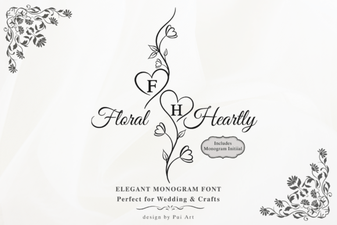 Floral Heartly Monogram Font: Elegant Design Ideas
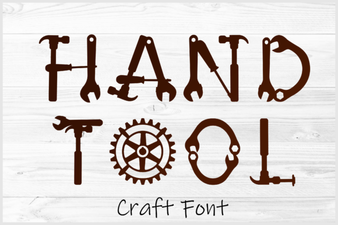 Hand Tool Font: Creative Design & Practical Use
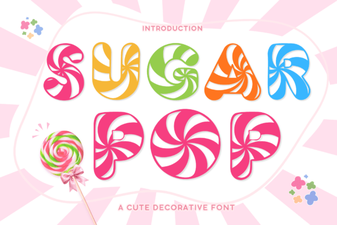 Sugar Pop Font: Playful & Versatile Design Tool
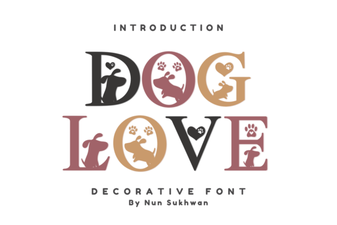 Dog Love Font: Playful & Heartfelt Design Ideas
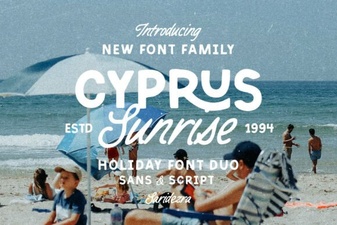 Cyprus Sunrise Duo Font: Elegant Dual-Style Typography
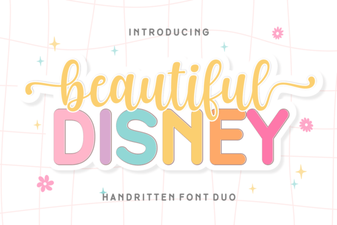 Beautiful Disney Duo Font for Creative Projects